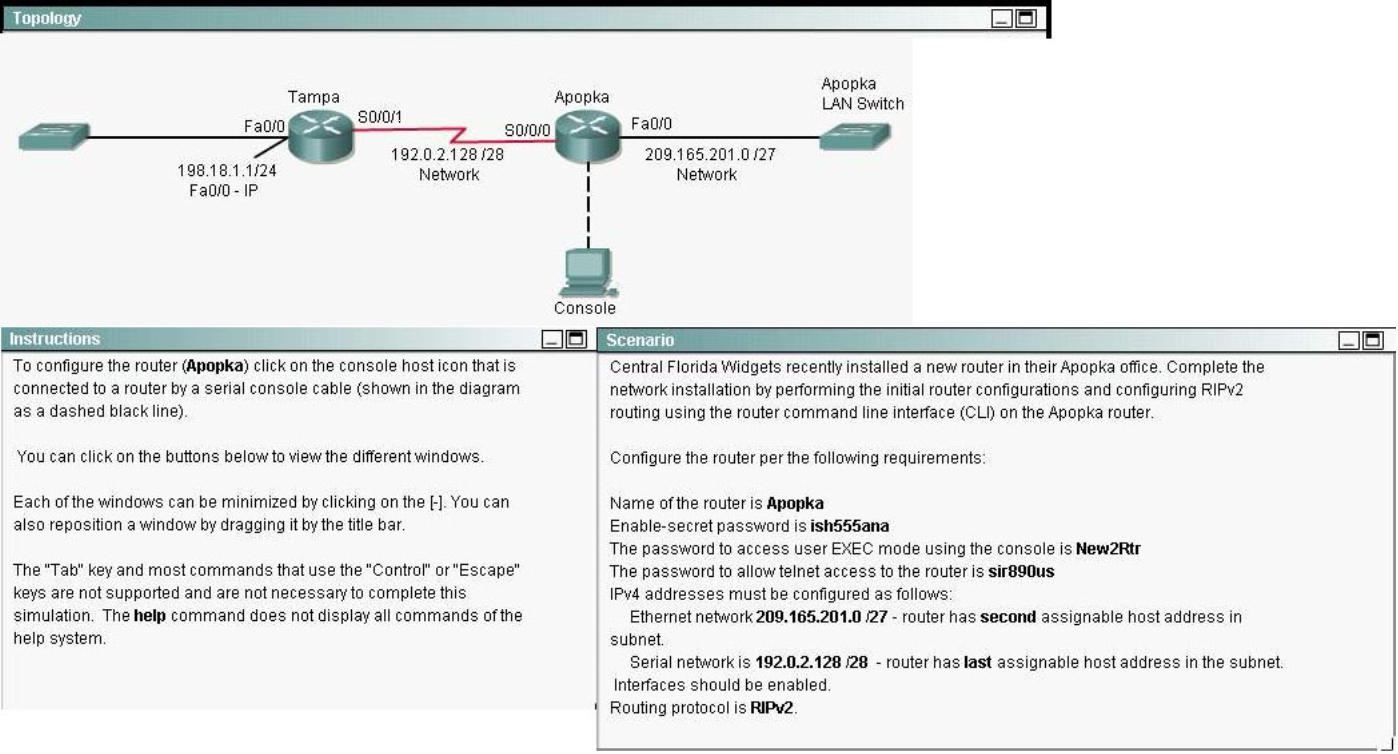

Configure each additional router with the following:
SIMULATION
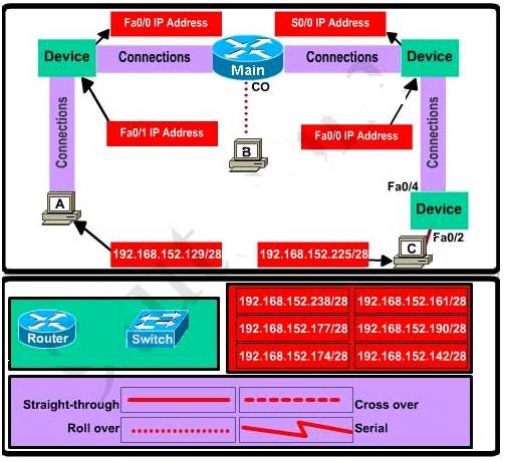
This topology contains 3 routers and 1 switch. Complete the topology.
Drag the appropriate device icons to the labeled Device
Drag the appropriate connections to the locations labeled Connections.
Drag the appropriate IP addresses to the locations labeled IP address
(Hint: use the given host addresses and Main router information)
Toremove a device or connection, drag it away from the topology.
Use information gathered from the Main router to complete the configuration of any
additional routers.
No passwords are required to access the Main router.The config terminal command has been
disabled for the HQ router.The router does not require any configuration.
Configure each additional router with the following:
Configure the interfaces with the correct IP address and enable the interfaces.
Set the password to allow console access to consolepw
Set the password to allow telnet access to telnetpw
Set the password to allow privilege mode access to privpw
NotE. Because routes are not being added to the configurations, you will not be able to ping
through the internetwork.
All devices have cable autosensing capabilities disabled.
All hosts are PC’s
Configure the router per the following requirements.
SIMULATION
Configure the router per the following requirements.