

Mark the option/button in the following image of the File menu to accomplish the task.
You work as an Office Assistant for Company Inc. You are preparing a presentation in PowerPoint
2010. Now, you want to create a word document that contains the slides and notes for a
presentation and uses word to layout, format, and add additional content to the handouts. You also
want that PowerPoint 2010 automatically updates slides in the handout when the presentation
changes. Mark the option/button in the following image of the File menu to accomplish the task.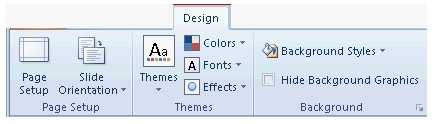
Mark the option/button in the following image of the File menu to accomplish the task.
You work as an Office Assistant for Company Inc. You are preparing a presentation in PowerPoint
2010. Now, you want to create a word document that contains the slides and notes for a
presentation and uses word to layout, format, and add additional content to the handouts. You also
want that PowerPoint 2010 automatically updates slides in the handout when the presentation
changes. Mark the option/button in the following image of the File menu to accomplish the task.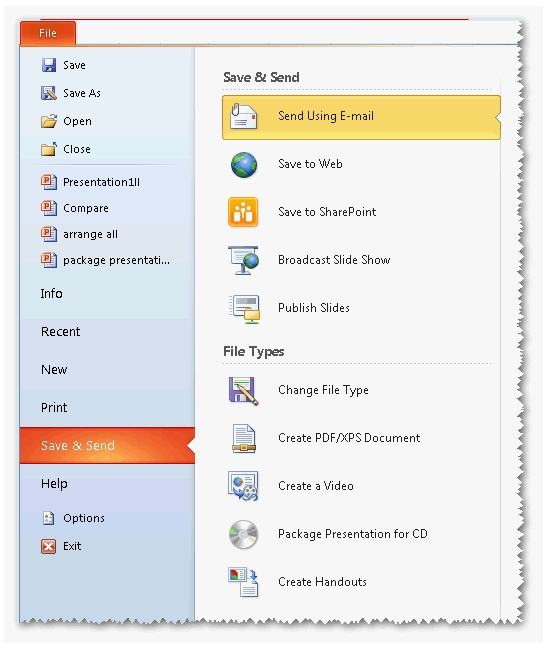
Which of the following steps will he take to make the presentation changeable?
You work as an Office Assistant for Company Inc. You are creating a presentation in Microsoft Office
PowerPoint 2010 to represent the security policy of your company. Before sharing an electronic copy
of the presentation (.pptx) to other people, you use the Mark as final feature to make the
presentation read-only and to prevent others from making changes to it. Now, the Sales Manager of
the company wants to change the presentation title. Which of the following steps will he take to
make the presentation changeable?
Mark the option in the following image of the Save & Send pane to resolve the issue.
You are creating a presentation in PowerPoint 2010. You have added a movie to the presentation
and sent it through an e-mail. However, the movie does not play in the presentation. Mark the
option in the following image of the Save & Send pane to resolve the issue.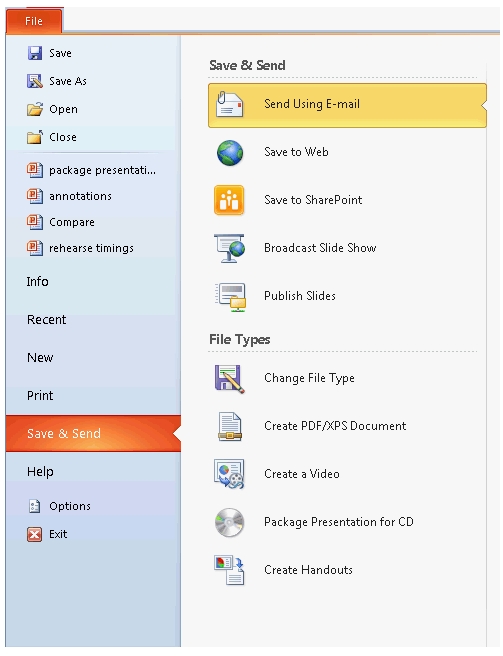
Mark the option/button in the following image of the Layout tab on which you will click to split the cells of
Mark the option/button in the following image of the Layout tab on which you will click to split the
cells of a table.
Choose and reorder the required steps that you will take to move a slide from one presentation to another.
Choose and reorder the required steps that you will take to move a slide from one presentation to another.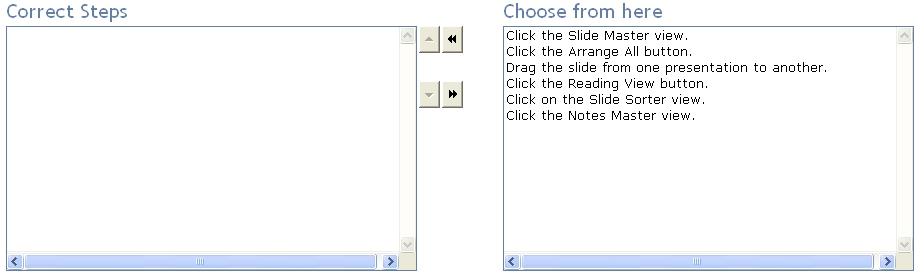
Which of the following is the most likely cause of the issue?
You works as an Office Assistant for Company Inc. You are creating a presentation in PowerPoint
2010. You want to play a movie in the presentation. However, the movie is playing as a black
rectangle in the PowerPoint 2010 presentation. Which of the following is the most likely cause of the issue?
Choose and reorder the steps required to insert a chart in a presentation.
Choose and reorder the steps required to insert a chart in a presentation.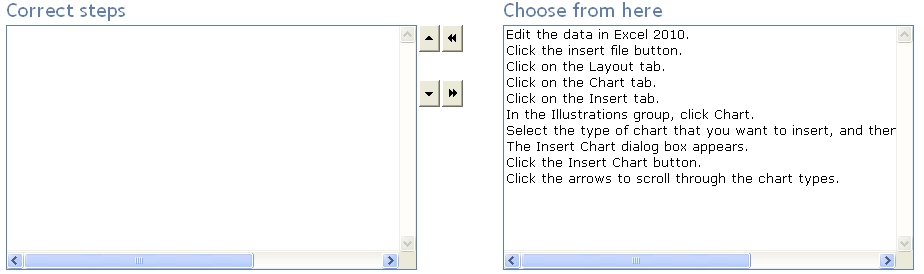
Which of the following actions will you take to change the color mode?
You work as an Office Assistant for Company Inc. You are creating a presentation in PowerPoint
2010. You have inserted a photo album in it. Now, you want to change the color mode of the first
photo in the album to black and white. Which of the following actions will you take to change the
color mode?
Mark the option/button in the following image of the Home tab to insert the slides from another presentation.
You work as an Office Assistant for Company Inc. You are creating a presentation named Sales. Now
you want to include some slides from a presentation named Photo Album.pptx. Mark the
option/button in the following image of the Home tab to insert the slides from another presentation.